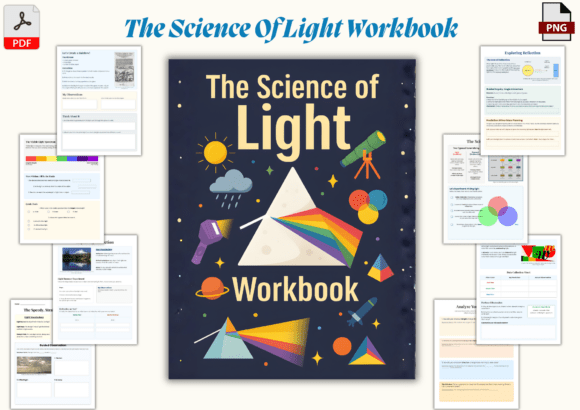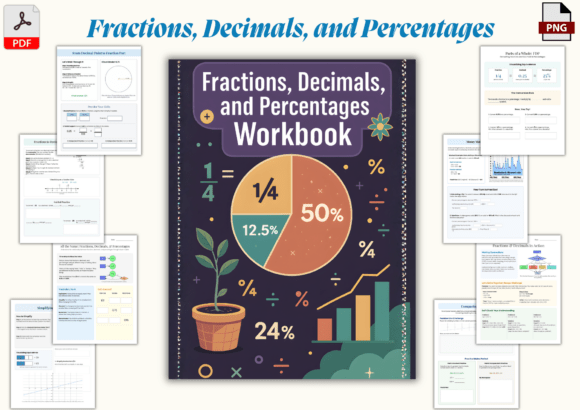
Notion Formulas Workbook
If you’ve ever stared at a Notion formula field wondering why prop("Status") == "Done" returns an error—or tried to calculate days until a deadline only to get NaN—you’re not alone. Notion’s formula language is powerful, but it’s also unforgiving without context, structure, and practice. That’s where the Notion Formulas Workbook steps in: not as another dense reference guide, but as a hands-on, page-by-page companion designed to build real skill—not just memorization.
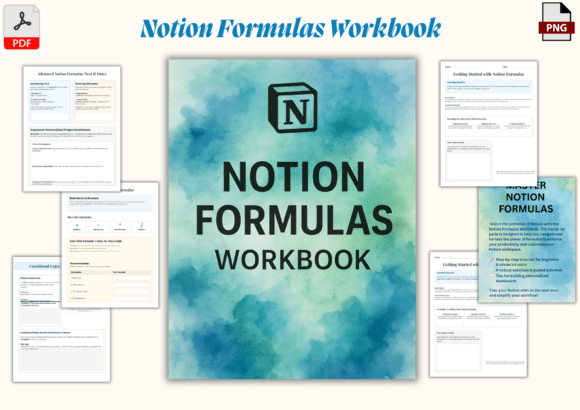
This isn’t theory dressed up as utility. It’s six focused, printable pages that walk you through formulas the way you learn best: by doing. Each page targets a high-impact use case—like filtering tasks by priority and due date, calculating progress percentages from checkbox fields, or auto-tagging entries based on keywords—and gives you space to type, test, and revise directly in your own Notion workspace.
What Makes This Workbook Different?
Most Notion formula resources fall into two camps: overly technical documentation (great for lookup, terrible for learning), or oversimplified “copy-paste” lists (useful once, forgotten tomorrow). The Notion Formulas Workbook bridges that gap with intentionality:
- Progressive scaffolding: Page 1 starts with string concatenation (
prop("First Name") + " " + prop("Last Name")) and safe, visual feedback. By Page 6, you’re nestingif(),dateBetween(), andreplaceAll()to build a dynamic client follow-up tracker. - No assumptions about prior knowledge: It doesn’t assume you know what a Boolean is—but it doesn’t talk down either. Terms like “operand,” “conditional logic,” or “ISO 8601 date format” are introduced only when they’re needed to solve the problem at hand.
- Design that supports cognition: The watercolor layout isn’t just aesthetic—it uses color blocks, whitespace, and consistent typography to reduce cognitive load. Blue highlights signal syntax rules; green boxes hold editable examples; gray callouts flag common pitfalls (“Don’t forget the quotes around text values!”).
Real Work, Real Time Savings
Consider a freelance designer managing 12 active clients. Without formulas, tracking scope changes means manual status updates across three databases—and constant cross-checking. With the Notion Formulas Workbook, she builds a single “Project Health” formula that combines dateBetween(now(), prop("Deadline"), "days"), if(prop("Approved") == true, "✅", "⏳"), and length(prop("Revisions")) to generate a live health score. That’s one formula replacing five minutes of daily admin.
Or take a university lecturer curating weekly reading lists. Instead of manually tagging each entry as “Required,” “Optional,” or “Supplemental,” she uses a simple switch() formula tied to a select property—then filters her database view to show only “Required” items for Monday’s class. The Notion Formulas Workbook walks through exactly how to set that up, including how to handle typos and blank values so the formula stays robust.
Where It Fits Across Roles
The value isn’t siloed by job title—it scales with responsibility and complexity:
- Students use Page 3’s grade calculator template to convert letter grades to GPA points and auto-highlight assignments below 85%—no spreadsheet imports needed.
- Content creators apply Page 5’s publishing calendar logic to auto-populate “Next Post” dates, calculate optimal posting windows based on past engagement, and flag overdue drafts in red using conditional formatting.
- Educators building LMS-style dashboards leverage the workbook’s date-range formulas to show “Days Since Last Login” for each student—and trigger gentle nudges after 7 days of inactivity.
- Small business owners implement Page 4’s revenue projection model: combining
prop("Monthly Retainer"),if(prop("Contract Renewed"), 12, 6), andformat()to display clean, investor-ready totals.
Practical Notes Before You Begin
The Notion Formulas Workbook includes both PDF and PNG files—so you can print it for handwritten notes or drop the PNGs directly into a Notion page as static references. But here’s what works best in practice: open the PDF on one screen, your Notion workspace on the other, and treat each page like a lab exercise. Don’t rush to finish all six. Master Page 2’s conditional logic first—even if it takes two sessions—before moving on. Why? Because 70% of real-world formulas rely on if(), and(), and or(). Skipping ahead creates fragile understanding.
Also: the workbook intentionally avoids advanced functions like rollup() or relation() formulas. Those belong in relational database guides—not a foundational formula workbook. Its focus stays narrow and deep: helping you write, debug, and trust formulas that run reliably inside a single database.
More Than Just Syntax—It’s Confidence
Here’s what users consistently report after working through the Notion Formulas Workbook: they stop Googling “how to do X in Notion formulas” and start asking “what if I tried Y?” That shift—from reactive searching to proactive building—is the real ROI. It’s not about knowing every function. It’s about recognizing patterns: when to reach for replaceAll() vs. replace(), how to safely compare dates without timezone surprises, or why wrapping a formula in format() changes how it displays but not how it calculates.
You’ll also notice fewer broken relations, fewer empty cells where data should appear, and—critically—less hesitation before adding a new formula field. That confidence compounds. One well-built formula leads to a smarter view. Three smart views lead to a dashboard that answers questions before you ask them. And that’s where the Notion Formulas Workbook delivers beyond the pages: it turns formula anxiety into quiet competence—one practical, beautifully designed step at a time.