2026 Business Management Organizer Canva: A Strategic Operating System for Modern Small Businesses
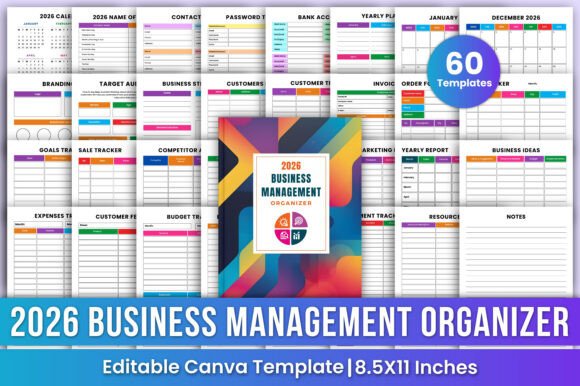
Running a small business in 2026 demands more than hustle—it requires intentionality, adaptability, and systems that evolve with your growth. The 2026 Business Management Organizer Canva isn’t just another printable planner; it’s a thoughtfully architected operational framework designed to align daily execution with long-term vision. Unlike generic calendars or fragmented digital tools, this organizer integrates planning, finance, marketing, and strategy into a single, cohesive physical-digital hybrid system—editable in Canva and optimized for real-world use.
How It Functions as an Integrated Business Operating System
At its core, the 2026 Business Management Organizer Canva operates like a lightweight ERP (Enterprise Resource Planning) tool—but built for solopreneurs, micro-teams, and service-based founders who need clarity without complexity. Its architecture reflects how small businesses actually work: not in silos, but in overlapping cycles of planning, selling, delivering, reviewing, and refining.
Consider the monthly planner pages. They don’t just display dates—they embed space for revenue targets, key client follow-ups, and scheduled content launches. That same month’s budget spreadsheet auto-links conceptually to the sales tracker and expense log, encouraging reflection on margin health before the month closes. Even the “Belongs To” page serves a functional purpose: it anchors accountability. When your name, business logo, and core values sit at the front of every printed section, decisions become more aligned—not just efficient.
Practical Applications Across Business Functions
The strength of the 2026 Business Management Organizer Canva lies in how seamlessly it supports diverse, often competing, responsibilities:
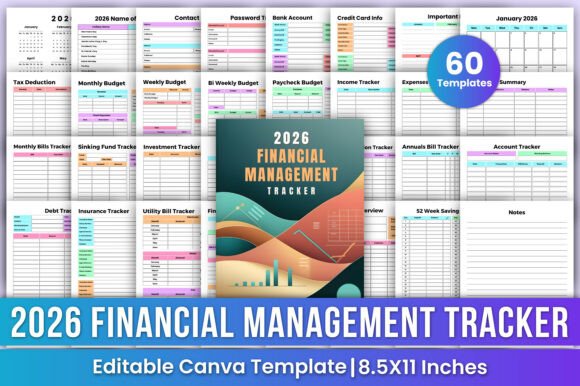
- Financial Discipline Without Accounting Software Overhead: The budget spreadsheet includes pre-formatted categories for fixed vs. variable costs, tax-deductible line items, and quarterly projections. A freelance graphic designer might use the tax deduction tracker to log home office square footage, software subscriptions, and mileage—all while cross-referencing receipts stored in the “Invoice” and “Order Form” sections. No double entry. Just consistent, audit-ready documentation.
- Customer-Centric Operations: The Customer Tracker goes beyond names and emails. It includes fields for first contact date, service type, status (e.g., “quoted,” “onboarding,” “retained”), and even notes on communication preferences. Paired with the Return Exchange Form—designed to preserve goodwill while capturing root-cause data—it transforms service interactions into structured feedback loops.
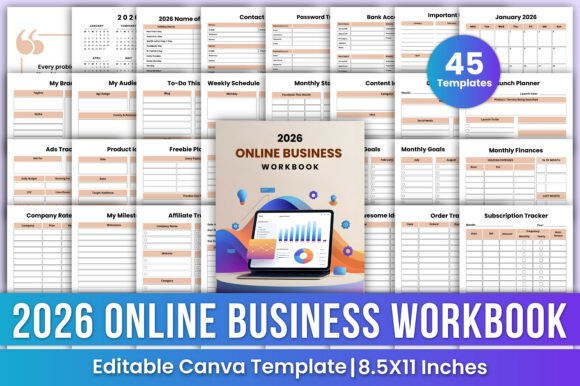
- Marketing That Scales With Insight: The marketing planning pages prompt users to define objectives (e.g., “Increase Instagram leads by 25% Q2”), identify channels, assign deadlines, and reserve space for post-campaign reflections. Meanwhile, the affiliate tracking sheet helps creators or e-commerce sellers monitor referral performance across platforms—even when working with informal partners who don’t use automated dashboards.
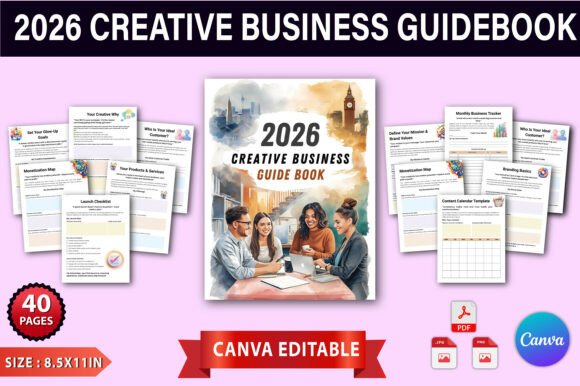
- Strategic Clarity Amidst Daily Noise: The business strategy section avoids vague mission statements. Instead, it guides users through SWOT-aligned prompts, target audience segmentation (with space for psychographics, not just demographics), and competitive benchmarking using side-by-side comparison tables. One local bakery owner used the Competitor Analysis page to map pricing, social engagement frequency, and seasonal offerings of three nearby cafés—then adjusted her holiday cookie pre-order timeline accordingly.
Why Editable Canva Integration Matters—Beyond Aesthetics
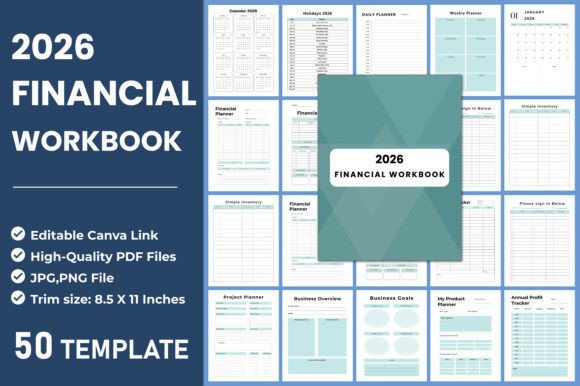
Editable templates in Canva aren’t just about changing fonts or adding logos. They enable functional customization. A consultant might restructure the “Yearly Planner” to emphasize quarterly review milestones instead of monthly goals. An educator launching an online course business could rename the “Sales Report” tab to “Enrollment Dashboard” and add columns for cohort start dates and completion rates. A maker using Etsy and local craft fairs might merge the “Order Form” and “Return Exchange Form” into a single branded workflow sheet.
This flexibility directly addresses a common pain point: rigid tools force users to adapt their process to the template, not the other way around. With the 2026 Business Management Organizer Canva, you’re not filling out forms—you’re configuring a system. And because each page exports as a high-resolution 8.5x11 PDF, printing remains professional and legible, whether you’re annotating during a client meeting or reviewing budgets at your kitchen table.
User-Centered Design for Real Workflows
The organizer anticipates how small business owners *actually* operate—not how productivity gurus assume they should. For example:
- The Password Tracker includes fields for username, URL, security questions, and last updated date—addressing password hygiene without requiring third-party apps that may raise privacy concerns for sensitive client portals or banking logins.
- The Holiday List 2026 is annotated with U.S. federal holidays *and* widely observed cultural and industry-specific dates (e.g., Small Business Saturday, Cyber Monday, Back-to-School season)—helping retailers and service providers plan promotions and staffing well in advance.
- The Creative Idea Pages feature open-ended prompts (“What problem did a client describe that no one’s solving well?” or “Which task drains energy but could be systemized?”), turning passive note-taking into active opportunity scanning.
- The Income & Investment Sheets separate earned income from passive returns, interest, or asset appreciation—critical for freelancers diversifying revenue or consultants building equity in digital products.
Implementation That Fits Your Rhythm—Not the Other Way Around
Adopting the 2026 Business Management Organizer Canva doesn’t require a full-day setup ritual. Many users begin with just two sections: the Monthly Planner and the Budget Spreadsheet. They spend 15 minutes every Sunday reviewing the prior week’s income and expenses, then blocking time for upcoming priorities. Within three weeks, patterns emerge—like recurring administrative tasks that could be batched, or clients whose projects consistently run over budget due to scope creep.
Others start with the Branding Kit and Target Audience pages to clarify messaging before launching a new offer. A life coach used these sections to refine her ideal client profile—not as a demographic sketch, but as a behavioral narrative (“Sarah, 38, spends 90 minutes daily scrolling LinkedIn seeking validation, books discovery calls but cancels 48 hours before”). That specificity transformed her email subject lines and landing page copy, lifting conversion by 32%.
Crucially, the organizer supports both analog and hybrid workflows. You can print only the pages you need each month—or keep the full set in a binder and use sticky tabs to jump between sections. Some users scan completed pages and store them in cloud folders labeled by quarter, creating a searchable, chronological record of business evolution.
What This Means for Sustainable Growth in 2026
In a landscape where AI tools promise automation but often deepen fragmentation, the 2026 Business Management Organizer Canva offers something rarer: coherence. It doesn’t replace software—it complements it. You might use QuickBooks for final tax filing, but rely on the organizer’s Tax Deduction Tracker to capture deductible expenses *as they happen*, reducing year-end scrambling. You might manage social posts in Buffer, but draft campaign themes and KPIs in the Marketing Planning section first.
Its value compounds over time. The Yearly Planner becomes a historical reference—not just for goals met, but for assumptions tested. Did that Q3 product launch truly require six weeks of prep, or could it be streamlined? Was the “ideal client” profile accurate, or did real-world interactions reveal a different segment with higher lifetime value? These insights aren’t buried in app analytics dashboards; they’re handwritten beside printed tables, annotated with arrows and “aha!” margins.
For educators designing curriculum, researchers managing grant timelines, hobbyists scaling craft sales, or creators launching Patreon tiers—the organizer provides scaffolding without prescription. It respects autonomy while offering structure. It assumes you know your business best—and gives you the tools to document, reflect, and iterate with confidence.
Key Considerations Before You Begin
While powerful, the 2026 Business Management Organizer Canva works best when aligned with realistic habits. If you’ve never maintained a consistent planning routine, start small: commit to updating just the Contacts List and one financial sheet per week. If your business relies heavily on real-time collaboration, pair it with shared cloud storage—not as a replacement for team tools, but as your personal command center.
Also note: Because it’s delivered as editable Canva templates and print-ready PDFs, it’s inherently private. There’s no login, no data harvesting, no subscription renewal. What you create stays yours—whether stored digitally, printed, or both. That autonomy matters, especially as platform policies shift and data ownership grows increasingly complex.
Ultimately, the 2026 Business Management Organizer Canva succeeds not by promising perfection, but by making progress visible, manageable, and deeply personal. It meets entrepreneurs where they are—in the messy, rewarding, unpredictable work of building something meaningful—and gives them a grounded, adaptable way to move forward, one intentional page at a time.