2026 Financial Workbook Canva Template: A Practical, Customizable Planning Tool for Individuals and Small Teams
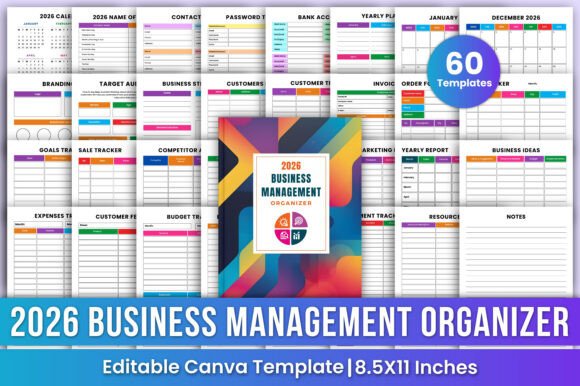
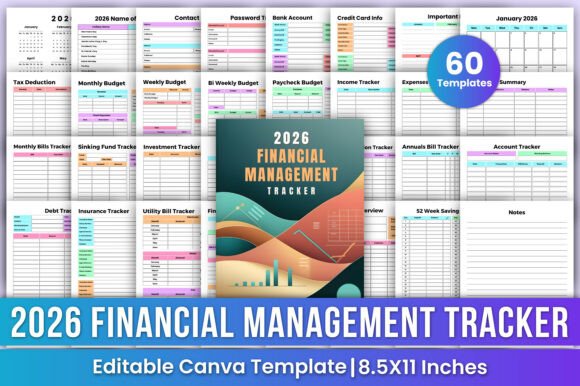
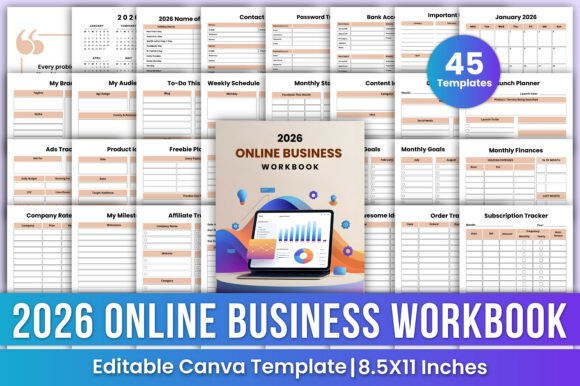
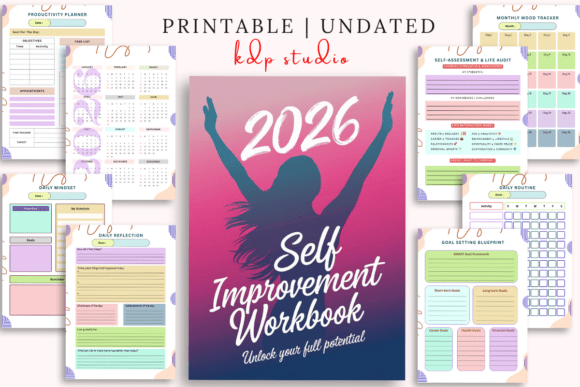
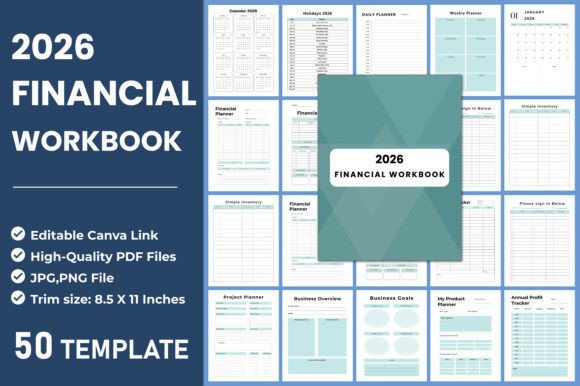
The 2026 Financial Workbook Canva Template is a comprehensive, all-in-one digital planning resource designed for people who prefer visual, flexible, and self-directed financial and operational tracking—without relying on complex software or recurring subscriptions. Built for Canva’s intuitive editor, it combines calendar-based planning with functional business and personal finance tools across 50 distinct, editable pages. Unlike standalone apps or static PDF planners, this template bridges structure and adaptability: users get pre-organized frameworks (like monthly budget planners, expense trackers, and SWOT analysis sheets) while retaining full control over layout, color, text, and content.
What Sets This Template Apart from Other Planning Resources
Most financial workbooks fall into one of two categories: highly rigid printed planners with fixed layouts—or fully digital platforms that require learning curves, logins, and data sharing. The 2026 Financial Workbook Canva Template occupies a middle ground. Its strength lies in being both ready-to-use and deeply customizable. You receive an editable Canva link, meaning you can change fonts, reorder sections, add your logo, or simplify a page before downloading. That flexibility matters especially for freelancers, solopreneurs, or small business owners who need to align planning tools with their actual workflows—not the other way around.
For example, someone managing a seasonal product line might merge the Shipping Tracker and Coupon Sales Tracker into a single dashboard view, while a service-based consultant could repurpose the Production Cost sheet to track time-based project expenses instead of material inputs. The inclusion of both Daily Planner and Business Daily Schedule pages also reflects awareness of dual roles—many users juggle income-generating tasks alongside administrative or creative work.
How It Compares Across Key Planning Dimensions
When evaluating planning tools, three dimensions often matter most: structure, adaptability, and accessibility. Here’s how the 2026 Financial Workbook Canva Template performs:
- Structure: It provides more built-in scaffolding than blank Notion templates or generic spreadsheet files. With dedicated pages for Annual Profit Tracker, Monthly Financial Plan, and Project Schedule Planner, it guides users toward consistent habits without enforcing rigid rules.
- Adaptability: Unlike pre-printed physical planners, every element—including colors, icons, headers, and even grid spacing—is editable in Canva. You’re not stuck with a “January–December” layout if your fiscal year runs July–June; you can rename, duplicate, or delete months as needed.
- Accessibility: No app install or account required beyond a free Canva login. The included JPG, PNG, and PDF files (8.5×11 inches, 300 DPI, no bleed) make it printer-ready for those who prefer writing by hand—and high-resolution enough for crisp digital annotation on tablets.
This contrasts with spreadsheet-based alternatives, which offer powerful calculations but little visual guidance or design cohesion. It also differs from subscription-based dashboards (e.g., QuickBooks Self-Employed or Tiller), which automate data imports but limit customization and may feel overwhelming for users focused on forward-looking planning rather than historical bookkeeping.
Realistic Use Cases and Where It Fits Best
The 2026 Financial Workbook Canva Template works well when your priority is intentionality—not automation. Consider it if you:
- Prefer designing your own system over adapting to someone else’s logic;
- Need clarity across multiple domains—finances, operations, marketing, and personal goals—without toggling between five different apps;
- Want to print and annotate, but also keep a clean digital version for sharing with a partner or accountant;
- Are launching a side hustle or micro-business and need lightweight yet complete documentation (e.g., Business Overview, SWOT Analysis, My Product Planner) without investing in formal business software.
A freelance graphic designer, for instance, could use the Monthly Budget Planner to forecast income based on active projects, reference the Habit Tracker to maintain consistent outreach, and update the Goals Tracker quarterly—all within the same visual language. Meanwhile, the Simple Inventory and Product Inventory Sheet pages support small-scale creators selling physical goods, while the Meeting Notes and Checklist pages help coordinate collaborators without needing shared cloud docs.
Tradeoffs and Situations Where It May Fall Short
No tool excels in every scenario. The 2026 Financial Workbook Canva Template does not auto-calculate totals, sync with bank feeds, generate tax reports, or store sensitive financial data securely in the cloud. If your workflow depends on real-time reconciliation—say, matching daily sales against credit card deposits—this template won’t replace accounting software. Similarly, teams requiring role-based permissions, audit trails, or collaborative editing with live comments will find Canva’s sharing features more limited than dedicated team platforms.
It’s also less ideal for users who dislike manual entry entirely. While the Expense Tracker and Financial Tracker pages provide clear columns and categories, they don’t pull transaction data automatically. That’s intentional: this is a planning and reflection tool, not a transactional ledger. Users expecting push-button insights (e.g., “What % of my Q1 spending went to marketing?”) will need to summarize manually—or export data to a spreadsheet later.
Practical Tips for Getting the Most From This Template
To maximize value, start by auditing your current planning pain points. Are you forgetting deadlines? Losing track of recurring expenses? Struggling to connect daily actions to longer-term goals? Then pick 3–4 pages that directly address those gaps—perhaps Weekly Planner, Monthly Budget, and Goals Tracker—and customize only those first. Resist the urge to edit all 50 pages upfront.
Use the editable Canva link to standardize branding (e.g., consistent accent colors, your business name in headers) and adjust column widths in tracker sheets to match your typical entries. Save versions: one “working copy” for daily edits, and a separate “print-ready” version with finalized fonts and minimal animations for clean PDF output.
Finally, treat the Notes and My Notes pages as low-pressure spaces—not just for reminders, but for reflections. Jot down what worked in March’s budget review, or why a particular marketing idea didn’t convert. Over time, those notes become more valuable than any pre-filled template.
Making an Informed Choice
The 2026 Financial Workbook Canva Template isn’t about replacing robust financial tools—it’s about offering grounded, human-centered structure at the front end of planning. It supports clarity, consistency, and ownership, especially for those who learn visually, write by hand, or manage multiple responsibilities with limited time. If your goal is to build confidence through preparation—not just record what happened—this template delivers tangible utility without complexity.
That said, it’s worth asking: Do you need calculation, collaboration, or compliance features? Then look toward integrated accounting or project management platforms. But if you want a thoughtful, adaptable, and aesthetically coherent foundation for navigating 2026—one you can grow into, not outgrow—the 2026 Financial Workbook Canva Template offers a rare balance of breadth, simplicity, and creative control.